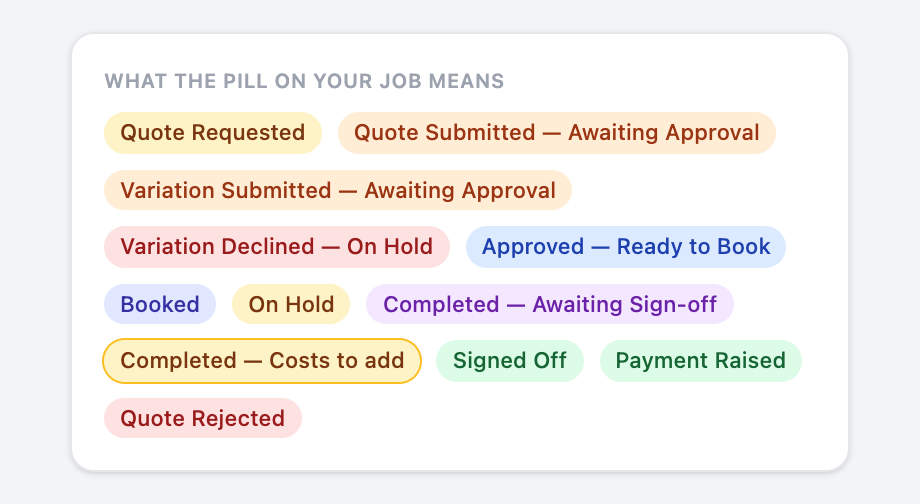
Receiving a job
A Taskforce job arrives as an SMS and an email. It is not yours until you accept it, and most jobs are offered to more than one trade at the same time.
The message
You get an SMS and an email at the same time. Both say the trade, the suburb, the work order number, how the job is paid, and a link. The link opens the job in the Tradie App if you have it, or a no-login page if you don't.
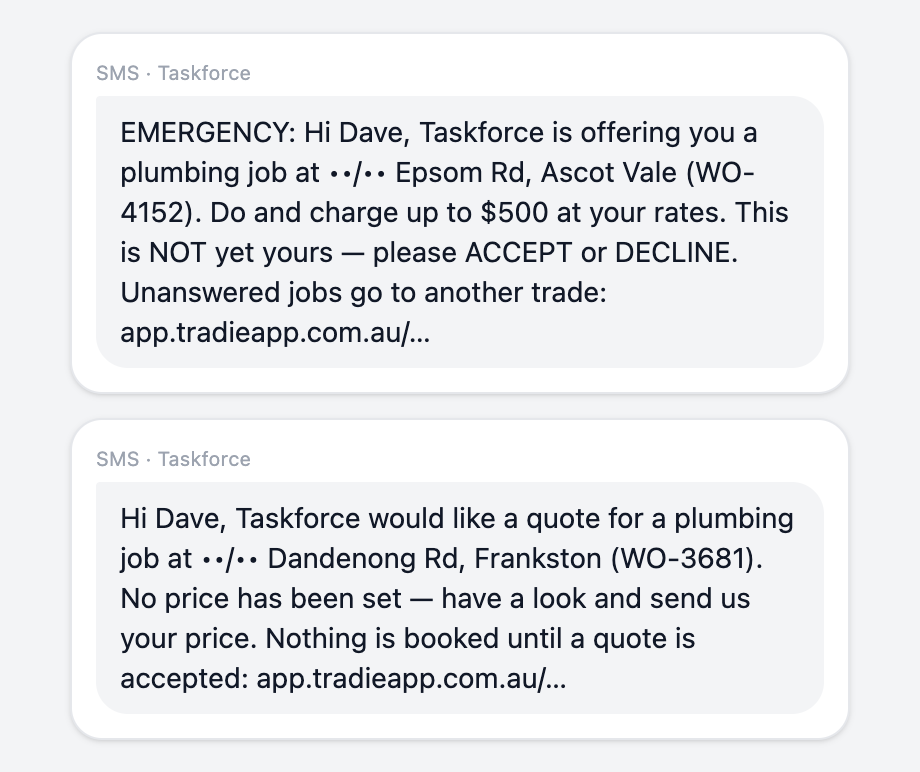
Read the money line.
The job card
In the app the job is on the Offered tab (or Quote Required for a quote request). The card shows the work, the priority and how long you have to answer. Tap it to open the sheet.
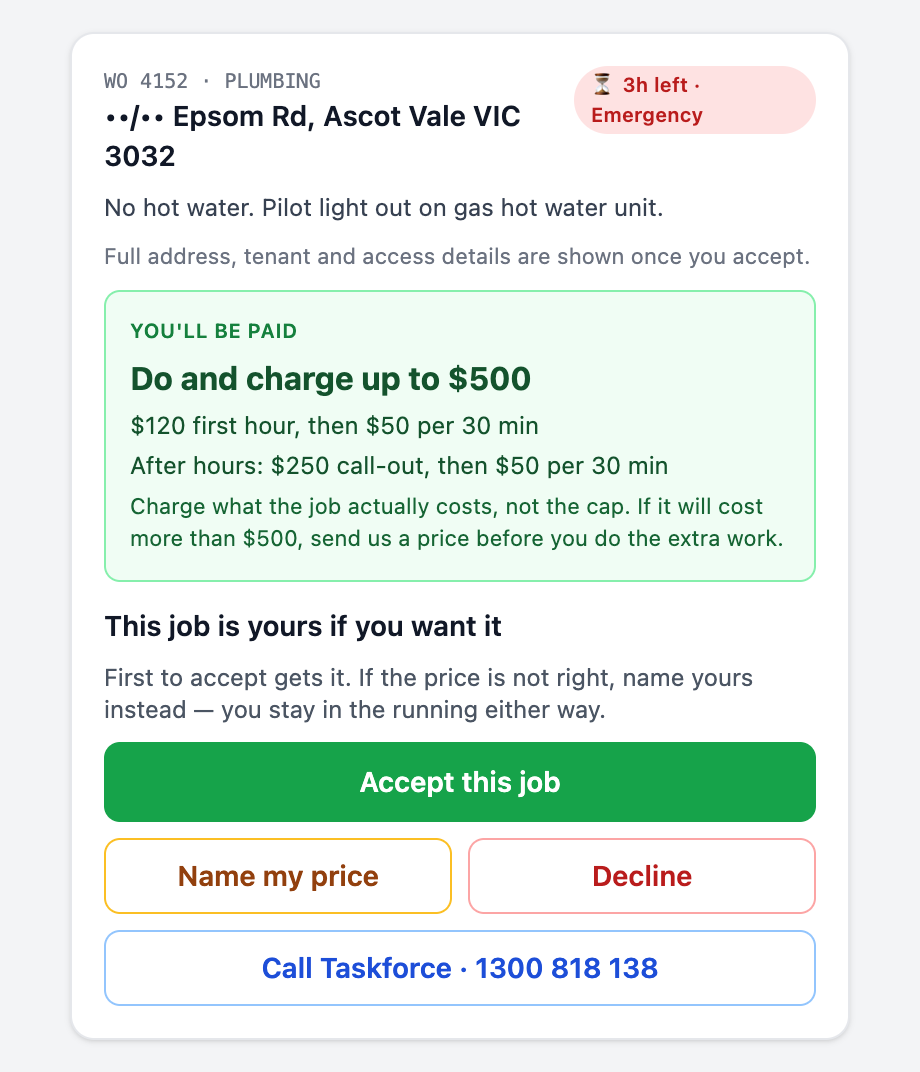
- The address is masked until you accept. So are the tenant, the property manager and the access notes. You always see the suburb, the work and the urgency.
- First to accept gets it. If another trade accepts first you will see “Another trade accepted this job first” and nothing more is needed from you.
- Not answering is what loses work. Declining costs you nothing and helps us ask the right people. An unanswered offer is re-offered to someone else after a reminder.
Your four choices
| Accept this job | The job is yours at the terms shown. The full address, tenant contact and access notes appear straight away. Accepting the job accepts the pricing on the card. |
|---|---|
| Name my price | The price offered is not right for you. Enter what you would do it for. You stay in the running; the job stays open, and if another trade accepts the offered price first it goes to them. |
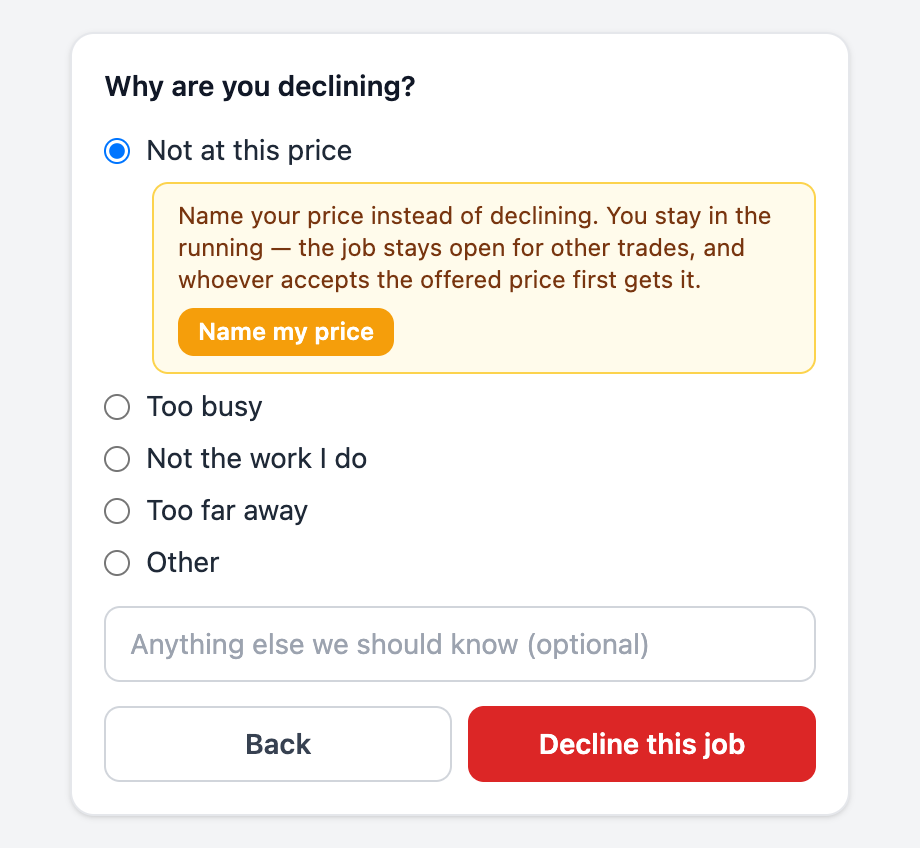
| Decline | Pick a reason: not at this price, too busy, not the work I do, too far away, or other. If it is the price, the app suggests naming yours instead. |
| Call Taskforce | 1300 818 138, any time the job is not clear. |
A quote request is different
When the message says Taskforce would like a quote, no price has been set. The first button is Yes, I'll quote this. That does not book you the job; it releases the address and the contact so you can look, and tells us you are pricing it. Other trades may be quoting too. Nothing is booked until Taskforce accepts a quote. See Quoting a job.
Quoting is normally unpaid. Occasionally we will pay for a quote if the job does not go ahead; when we will, the message says so and names the amount. If it does not say so, there is no quote fee.
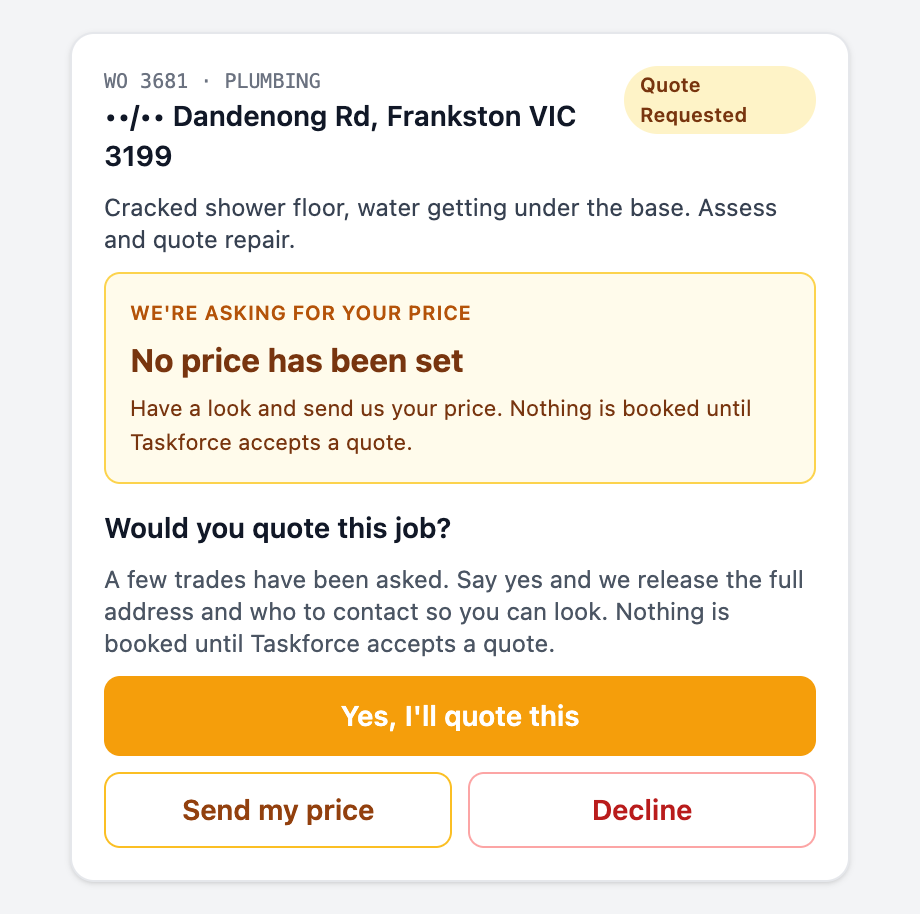
Where a job sits in the app
Every job is under All until it is completed or cancelled. It also sits in one tab that says what is needed from you:
| Offered | Any offer you have not answered: a cap job or a quote request. Accept, name your price, or decline. |
|---|---|
| Quote Required | A quote request you said yes to. Look at the job and send your price. |
| Quoted | Your quote (or a variation) is with Taskforce for approval. |
| Booking | Yours to do: a cap job you accepted, or a quote that was approved. Set a booking date. |
| Booked | Date set. Do the work, then Complete. |
| On Hold | Waiting on a part, a decision, or a declined variation. Do not attend until it resumes. |
| Completed | Submitted, awaiting Taskforce sign-off; or Costs to add if you completed without hours and parts. |
After you accept
- The pill changes to Approved — Ready to Book. The address, tenant and access notes are now on the sheet, with a Navigate link and a tappable phone number.
- Ring the tenant and agree a time, then tap Set Booking Date. This updates Taskforce and the agency straight away, so the tenant is expecting you.
- Can't get hold of them? Use Can't Proceed → Tried the tenant and log each try. After three, Taskforce takes over chasing them.
- Do the work, then Complete. See Completing a job.