
Quoting a job
Three situations put a quote form in front of you: a quote request, naming your own price on an offer, and pricing extra work after you have attended. The form is the same each time.
1. A quote request
- Tap Yes, I'll quote this. The address and the tenant contact are released so you can look. You get an SMS confirming who to ring for access.
- Look at the job. The pill reads Quote Requested and the sheet says “You're quoting this job”.
- Tap Send my quote and fill in the form below. Submit.
- The pill changes to Quote Submitted — Awaiting Approval. You can still update it until it is decided. Other trades may be quoting too; nothing is booked until Taskforce accepts a quote.
- You get an SMS either way. Approved: “your quote … has been approved by …, please go ahead and schedule the work” and the job moves to Booking with the pill Approved — Ready to Book. Not approved: the pill becomes Quote Rejected. Quoting is normally unpaid; if the request said we would pay for the quote, that amount is paid.
The quote form
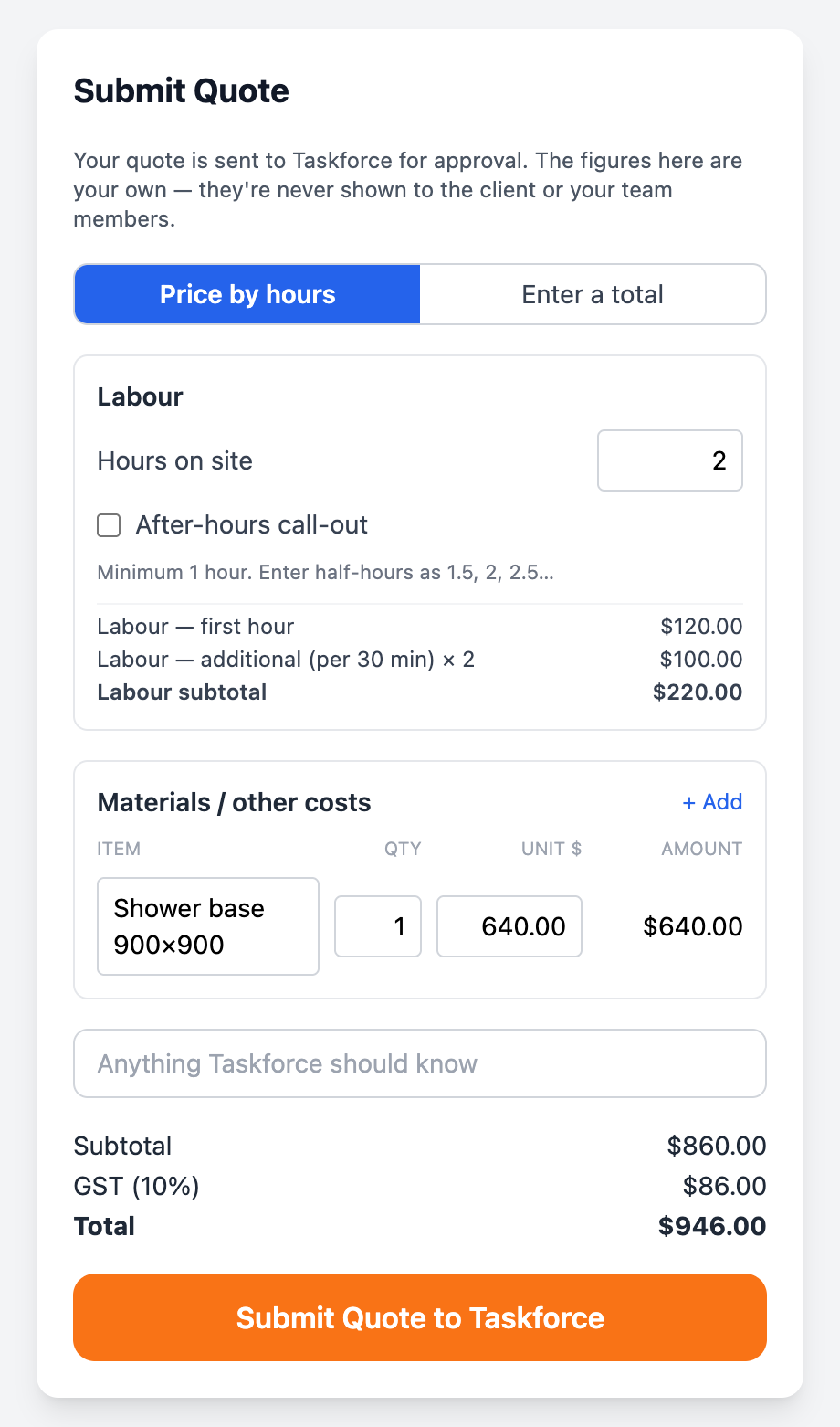
- Price by hours: hours on site (minimum one, half-hours as 1.5, 2, 2.5) and the after-hours call-out box on emergency jobs. The labour lines are priced from your rate card and shown before you send.
- Enter a total: line items (item, qty, unit price) or just a total, ex GST. Taskforce adds its margin on top; your figures are never shown to the client.
- Materials / other costs: one row per part at your cost.
- Notes: what you will do and anything Taskforce should know. This is what the property manager reads with the price, so say what is included.
Your figures are yours
2. Naming your price on an offer
An offer at a price you don't like is not a take-it-or-leave-it. Tap Name my price, enter what you would do it for, and send. You see “Your price is with Taskforce”. The job stays open; if another trade accepts the original price first it goes to them, so answer quickly. If Taskforce takes your price, the job is allocated to you at it.
3. Extra work once you are on site
On a do-and-charge or attend-and-quote job, when the job is bigger than you were sent for, tap Variation / Quote on the job sheet. The app asks one question.
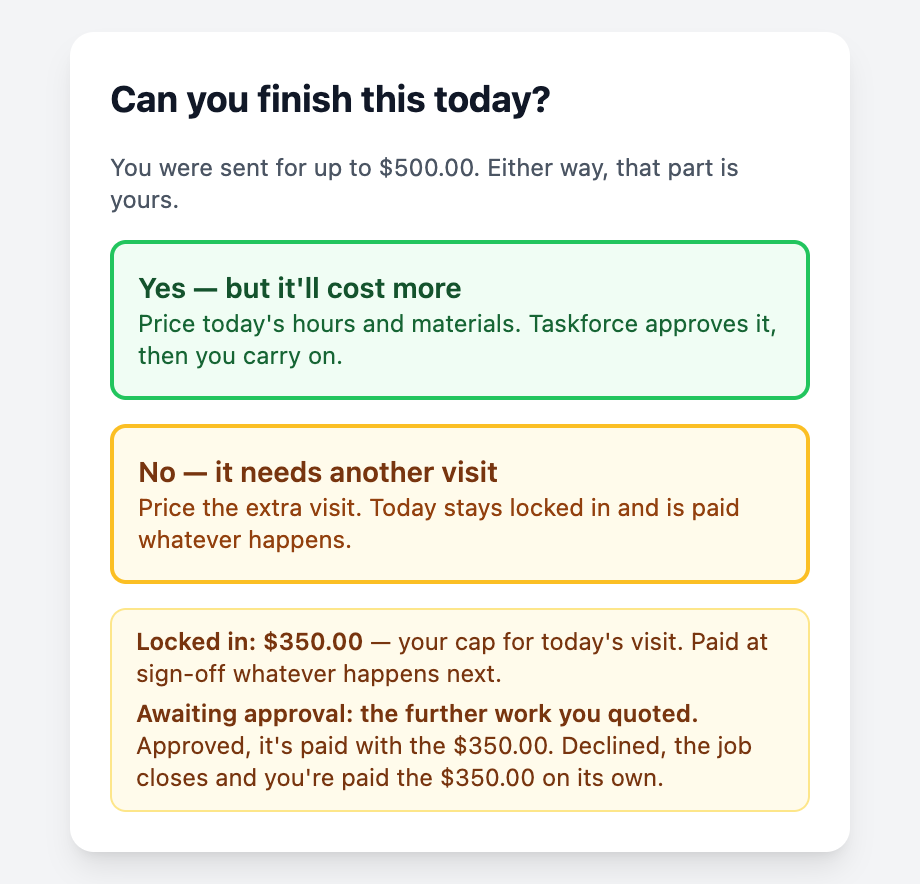
- Yes — but it'll cost more. Price the whole of today's work: your hours and materials. Taskforce approves it and you carry on; you get an SMS and Complete comes back. Need it on the spot? Call 1300 818 138.
- No — it needs another visit. Price today's visit and, separately, the further works. Today is paid on its own RCTI whatever happens. The further works wait for the property manager; the pill reads Variation Submitted — Awaiting Approval.
While a variation is awaiting approval, hold the job.