
Getting paid
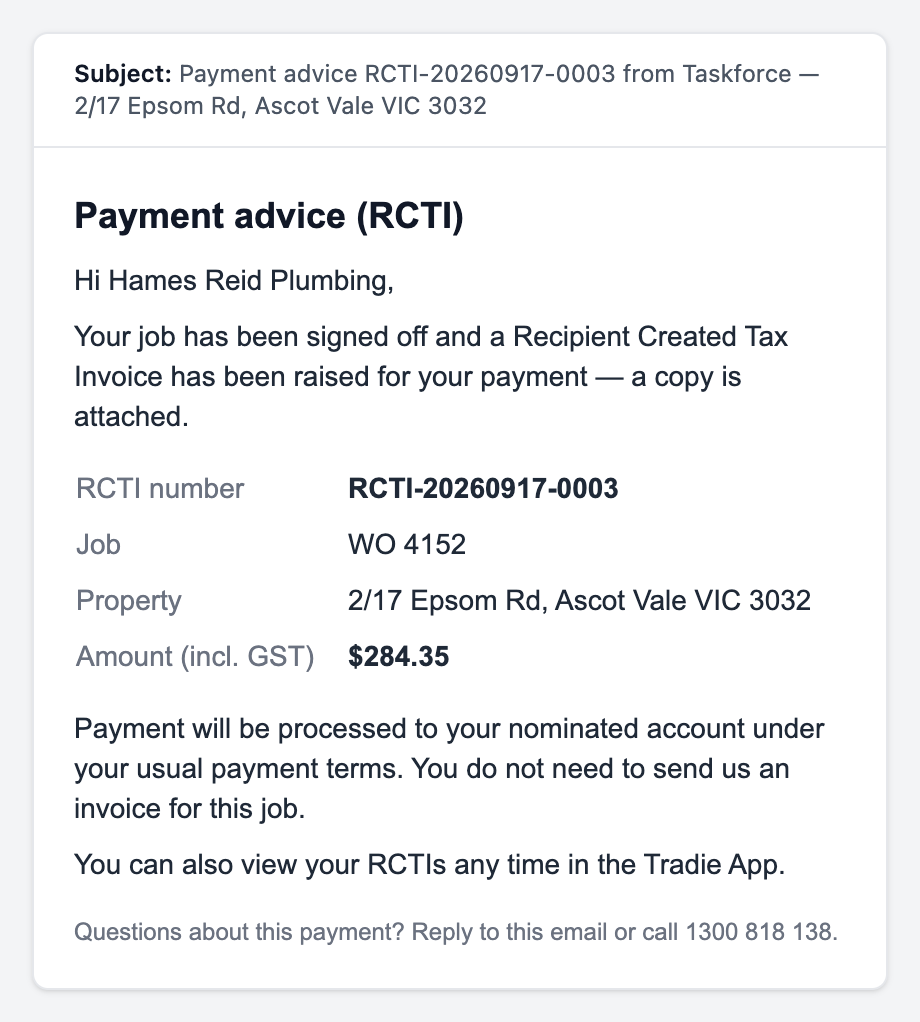
You never invoice Taskforce. When the job is signed off, Taskforce raises the invoice on your behalf, emails it to you, and pays it under your usual terms.
What happens after you submit
- The pill reads Completed — Awaiting Sign-off. Taskforce reviews the completion and your costs, usually the same or next business day.
- If something is missing, the office may fill it in from what you told them, or message you to add it.
- Taskforce signs the job off. The pill becomes Signed Off, then Payment Raised.
- A Recipient Created Tax Invoice (RCTI) is raised for you and you get a payment-advice email with the PDF attached.
- Payment goes to your nominated account under your usual payment terms.
What the amount is
| Do and charge | Your hours at your rate card plus your parts at cost, plus GST. Itemised on the RCTI exactly as you entered them. |
|---|---|
| Approved quote | The quote as approved (or as you reduced it), plus GST. |
| Attendance plus further works | Two RCTIs: one for the visit, one for the balance once the further works are done. |
| Fixed price | The price you accepted, plus GST. |
| Quote fee | Paid when a quote request that carried a fee does not go ahead. |
You do not send an invoice.
The RCTI is the tax invoice. Sending your own invoice as well creates a duplicate that has to be cancelled. You can see every RCTI under RCTIs in the app.
If a figure looks wrong
- Check the email against what you entered on the completion form. The RCTI lists your hours and parts line by line.
- Reply to the payment-advice email or call 1300 818 138 with the RCTI number and the work order number.
- Do not send a corrected invoice. If a change is agreed, Taskforce voids the RCTI and raises a new one.
Questions about a job that is still open belong on the job: tap Message Taskforce on the job sheet, and the office sees it against the work order.